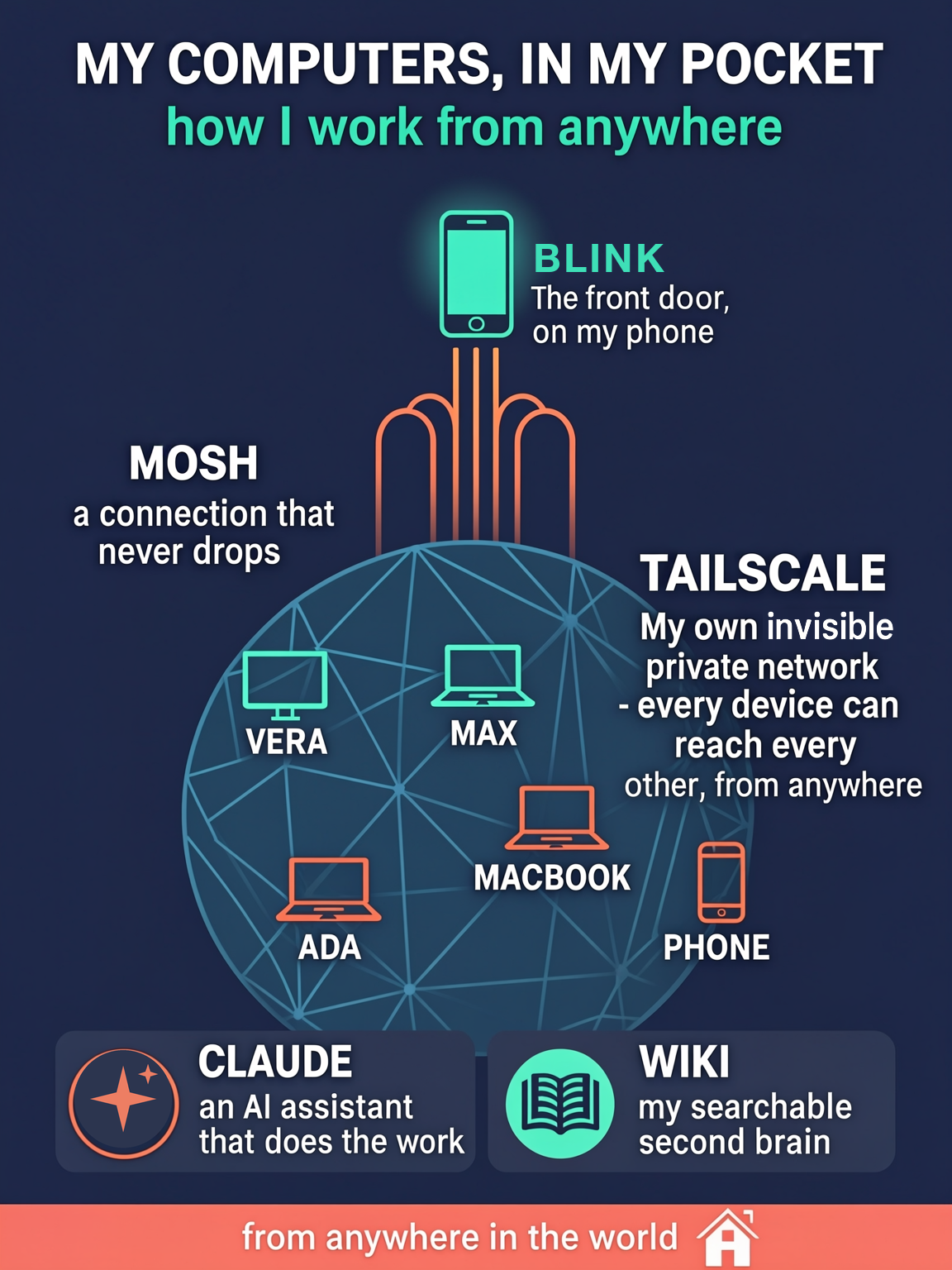
The essay tells the story. This is the parts list and the wiring. Everything below runs today; nothing is aspirational. Where a piece is open source, I link it.
The fleet
Seven kinds of device, one private network:
| Device | Role |
|---|---|
| Mac mini "Ada" (the hand-me-down) | Always-on house manager: scheduled agent jobs, nightly wiki compile, Home Assistant control, push notifications, exit node |
| Mac mini "Vera" | Dev workstation |
| Mac mini "Max" hardware sibling, MacBook Pro | Travel laptop |
| iPhone + iPad | The doorway (Blink fork + mosh) |
| Raspberry Pi (Pi-hole) | DNS for the whole network, everywhere |
| Raspberry Pi (Home Assistant) | House automation; standby subnet router |
| GL.iNet pocket router | Travel router; joins the network from hotel ethernet |
The network: Headscale, not Tailscale
Tailscale's clients are open source; its coordination server is not, and the hosted service holds your device list, keys, and access map. Headscale is the open-source reimplementation of that coordination server. Mine runs on the same $10-class AWS Lightsail VM that serves this website.
The deployment is smaller than people expect:
- Headscale from the Debian package, listening on loopback.
- Caddy in front, terminating TLS via Let's Encrypt.
- All state in one SQLite file, about 300 KB. Backup is
cp. - Standard Tailscale clients on every device, pointed at my server with
--login-server.
Useful details the docs will not volunteer:
- MagicDNS with a private base domain means every node resolves as
<host>.<domain>from anywhere. My phone reaches the house manager by name on cellular. - Point the network's DNS at a Pi-hole on its own overlay IP, not the LAN IP. Every device then gets ad-blocking DNS on any network - hotel wifi, cellular, anywhere. (Register the Pi-hole itself with
--accept-dns=falseor it will try to resolve through itself.) - Exit node + subnet router are independent advertisements. The always-on mini advertises both: route everything through home when I want it, or just reach LAN-only devices (cameras, printers, the thermostat) without full tunneling. Home Assistant's add-on advertises the same subnet as an approved standby, so LAN reachability survives a mini outage automatically.
- iOS gotcha: the Tailscale iOS app's "custom coordination server" dialog is broken (open issue); use a pre-auth key instead.
- Low-flash routers: the GL.iNet travel router runs the static Tailscale build from a microSD card because its internal flash is full. The packaged build in the vendor feed was years old and rejected by current Headscale - use the static tarballs from pkgs.tailscale.com.
The session: mosh
Mosh is the piece nobody needs convincing about once they feel it. SSH dies when your IP changes; mosh runs over UDP with its own sequence numbers, so the session survives wifi-to-cellular handoffs, sleep, and elevators. It is fifteen years old, free, and exactly as good as its reputation. The terminal session I am typing into has been alive for four days across two states.
The doorway: a fleet-native Blink fork
Blink is the GPL iOS terminal with first-class mosh support. My fork is public at github.com/nateober/blink. What it adds, in rough order of usefulness:
- App Intents for the fleet.
Run Fleet CommandandRun Fleet Scriptexpose headless SSH to Shortcuts and Siri - real stdout, stderr, and exit codes back into the Shortcut. "Hey Siri, run the backup" resolves to a saved host, runs it, and reports the result. A terminal twin,fleetexec <host> <cmd>, does the same from the prompt. - A push notification inbox. The fleet sends APNs pushes through a small Python sender; a
notiflogcommand persists them, so the text survives the lock-screen tap. Jobs at home ping the phone when they finish. - Mounted iCloud folders and
$PATHcommands so scripts synced via iCloud are runnable in the terminal sandbox.
One war story worth the retelling: the App Intent originally hung and died with iOS's generic "unknown error." The cause was that Blink's SSH stack only makes progress while the RunLoop captured at client init is actually running - the interactive path spins it, a headless Swift-concurrency task does not. The fix was a dedicated thread driving its run loop until the dial completes. The AI assistant diagnosed that by reading the framework source. I would not have found it.
Distribution note: it is a GPL fork of trademarked software, so it ships to my own devices via TestFlight, not the App Store. That is the honest path for personal forks of GPL iOS apps.
The agent: claude -p is the whole RPC protocol
The piece that ties the fleet together is embarrassingly simple:
ssh ada 'claude -p "compile last night's notes into the wiki"'
Claude Code runs on every Mac in the fleet. One sentence in, work out. Because it is just SSH, it composes with everything above: Siri Shortcuts run it, scheduled jobs run it, and the phone runs it from a hotel in Seattle. Each machine has a persona file defining its role; the always-on mini runs the scheduled work.
The memory layer is a plain Obsidian-compatible wiki - about 143 pages of Markdown with a schema file that tells the agent how to behave: pages under ~200 lines, hub-and-satellite structure, every fact traceable to a source document, append-only logs. A nightly job compiles new information into pages; a weekly lint hunts stale pages, broken links, orphans, and contradictions. The agent maintains its own memory the way an engineer maintains a codebase.
This is also what made the model handoff a non-event. The infrastructure was built this spring with Claude Opus; the model improving it now is Fable. The new model read the wiki and the runbooks and continued - yesterday it fixed a macOS DNS quirk (standalone tailscaled sets the search domain but never creates the /etc/resolver entry; one tee and a killall -HUP mDNSResponder later, names resolve). The system's knowledge lives in files, so the intelligence layer is swappable.
Cost
| Piece | Cost |
|---|---|
| Headscale, mosh, Pi-hole, Home Assistant | Free, open source |
| Blink fork | Free to build; Apple developer account $99/yr to sideload |
| Lightsail VM | ~$10/mo (was already hosting this site) |
| Mac minis | Already owned; one inherited |
| Claude | The one subscription that replaced many |
If you want a version of this
Start with the rented versions and the defaults: stock Tailscale, stock Blink, Claude Code on one always-on machine. That is one afternoon and zero forks. Self-host the coordination server when you have a reason to own it. Fork the terminal when you have a feature you actually want. Let the assistant do the unfamiliar parts, and make it write down what it did - the notes are the part you will still own when every model and product in this article has been replaced.